
Next Major Update for Blickshift Analytics
We’re excited to announce a first major software update for 2026 packed with performance improvements, usability enhancements, and stability fixes. From faster Dynamic AOI workflows and smarter visualizations to a more reliable framework, this release streamlines everyday analysis and improves the overall user experience. As always, many of these improvements were driven directly by feedback from our users.


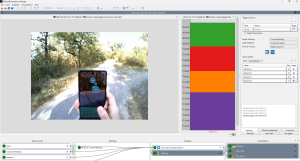

Visualizations
- Stimulus and FilmStrip will now auto-select the correct video time for the current media identifier upon creation (when Metadata is set up correctly by the importer)
- Vertical Scrollbars should now be available again in all cases where required
- Parameter controls that select colors, pens or brushes depending on Scenarios/Participants now only displays those of currently selected Scenarios/Participants
- Adding a column in Line Graph now automatically adds additional pens for the selected Scenarios/Participants with shifted colors
- Colors in Line Graph, PSP and Scan Path are now remembered, even if their scenario/participant combination becomes unavailable at the input and later reappears again
- Scan Path Saccade lines can now be made to disappear by setting the global thickness to -1
Analyses
- Sequence Search from marking (in Context Menu of PSP and Bar Graph) is available again
- Filter Node no longer has no tab selected when clicking on the node in the workflow explorer
- Fixed a bug that triggered a recomputation of AOIs after a reload in the Dynamic AOI Editor when using custom algorithms
- Improved performance of the Time Canvas in the Dynamic AOI Editor for AOIs with lots of gaps
Framework
- Fixed an error that could result in nonexisting nodes being displayed in the workflow explorer
- Improved the chance of using the actual standard browser when using the help system on Windows 11
- Fixed an error state in the Remote Computation Node that appeared when its input had been aggregated in a preceding node